

Optimizing Price-Performance Ratio with Cloud Elasticity in Cloud-Native Architecture
In the rapidly evolving world of cloud computing, balancing cost and performance is crucial. Cloud elasticity, the ability to dynamically scale resources based on demand, plays a pivotal role in achieving this balance. In this article, we’ll explore how to optimize the price-performance ratio in a cloud-native architecture, particularly when transitioning from a traditional 3-tier application on an IaaS-based cloud to a public cloud with microservices and Kubernetes-based workloads.
Understanding Cloud Elasticity
Cloud elasticity allows a cloud environment to scale resources up or down based on current demands. This scalability helps businesses handle varying workloads efficiently, maintaining performance while controlling costs.
Steps to Optimize Price-Performance Ratio
1. Assess Workload Requirements
- Identify Peak and Off-Peak Times: Understand when your application experiences the highest and lowest loads.
- Understand Performance Needs: Different applications have varying performance requirements, which is crucial for prioritizing resources.
2. Choose the Right Cloud Service Models
- IaaS (Infrastructure as a Service): Offers flexibility with virtual machines, storage, and networking.
- PaaS (Platform as a Service): Provides a platform for developing, running, and managing applications.
- SaaS (Software as a Service): Delivers software over the internet, reducing the need for internal hardware and software management.
3. Leverage Auto-Scaling Features
- Horizontal Scaling: Add or remove instances based on demand.
- Vertical Scaling: Upgrade or downgrade the capacity of an existing instance.
- Scheduled Scaling: Pre-schedule scaling actions based on known traffic patterns.
- Dynamic Scaling: Automatically adjust resources in response to real-time demand.
4. Use Cost Management Tools
- Monitoring and Analytics: Tools like AWS CloudWatch, Azure Monitor, and Google Cloud Operations help track usage and performance.
- Cost Allocation Tags: Use tags to categorize and track cloud usage costs.
- Budget Alerts: Set up alerts for when spending reaches certain thresholds.
5. Optimize Resource Utilization
- Right-Sizing: Adjust the size of cloud resources to match actual usage requirements.
- Reserved Instances and Savings Plans: Purchase reserved instances or commit to usage over a period for discounts.
- Spot Instances: Use spot instances for non-critical or flexible workloads at lower prices.
6. Implement Efficient Architectural Designs
- Serverless Computing: Utilize serverless architecture to run code without provisioning or managing servers.
- Containerization: Use containers to ensure consistent environments and efficient resource usage.
- Microservices Architecture: Break down applications into smaller, independent services to improve scalability and fault isolation.
7. Regularly Review and Adjust
- Performance Testing: Regularly test to ensure your cloud infrastructure meets required performance standards.
- Cost Reviews: Periodically review cloud bills and usage patterns to identify optimization areas.
- Feedback Loops: Implement feedback loops to continually refine and adjust resource allocations.
8. Vendor-Specific Optimization Techniques
- AWS: Use AWS Cost Explorer, Trusted Advisor, and compute optimizer.
- Azure: Utilize Azure Cost Management and Advisor.
- Google Cloud: Employ Google Cloud’s cost management tools and recommendations.
Transforming a 3-Tier Application to Cloud-Native
Let’s consider an example of an e-commerce application initially set up with a traditional 3-tier architecture on an IaaS-based cloud:
- Presentation Layer: Web server (e.g., Apache, Nginx) on VMs running React.js.
- Application Layer: Application server (e.g., Tomcat, JBoss) on VMs running Java/Spring.
- Data Layer: Database server (e.g., MySQL) on VMs.
Transitioning to Cloud-Native Architecture
- Presentation Layer:
- Containerized React.js front end deployed in a Kubernetes pod.
- Application Layer:
- Decomposed into microservices:
- User Service: Handles user authentication and profiles.
- Product Service: Manages the product catalog.
- Order Service: Processes orders.
- Each microservice is containerized and deployed in separate Kubernetes pods.
- Decomposed into microservices:
- Data Layer:
- Managed MySQL service (e.g., Amazon RDS) or containerized MySQL instance in a Kubernetes pod.
Implementation Steps
Containerization
- Convert web front end, application components, and database into Docker containers.
Microservices Decomposition
- Separate the monolithic application into microservices for user management, product catalog, and order processing.
Kubernetes Deployment
- Create Kubernetes deployments for each service.
- Use Kubernetes services to expose microservices.
- Configure Horizontal Pod Autoscaler (HPA) for auto-scaling.
Database Migration
- Move from VM-based MySQL to a managed database service like Amazon RDS.
- Alternatively, deploy MySQL in a Kubernetes pod for tighter integration.
Networking and Service Discovery
- Use Kubernetes Ingress for managing external access to services.
- Implement service discovery within Kubernetes using its built-in DNS.
CI/CD Pipeline
- Set up continuous integration and continuous deployment pipelines to automate building, testing, and deploying containers.
Example Configuration
- User Service Deployment with Auto-Scaling:
apiVersion: apps/v1
kind: Deployment
metadata:
  name: user-service
spec:
  replicas: 3
  selector:
    matchLabels:
      app: user-service
  template:
    metadata:
      labels:
        app: user-service
    spec:
      containers:
      - name: user-service
        image: myregistry.com/user-service:latest
        ports:
        - containerPort: 8080
        resources:
          requests:
            memory: "64Mi"
            cpu: "250m"
          limits:
            memory: "256Mi"
            cpu: "500m"
---
apiVersion: autoscaling/v2beta2
kind: HorizontalPodAutoscaler
metadata:
  name: user-service-hpa
spec:
  scaleTargetRef:
    apiVersion: apps/v1
    kind: Deployment
    name: user-service
  minReplicas: 1
  maxReplicas: 10
  metrics:
  - type: Resource
    resource:
      name: cpu
      target:
        type: Utilization
        averageUtilization: 50
- Cluster Autoscaler Configuration Ensure the Cluster Autoscaler is configured in your Kubernetes cluster to automatically add or remove nodes based on the needs of the running workloads.
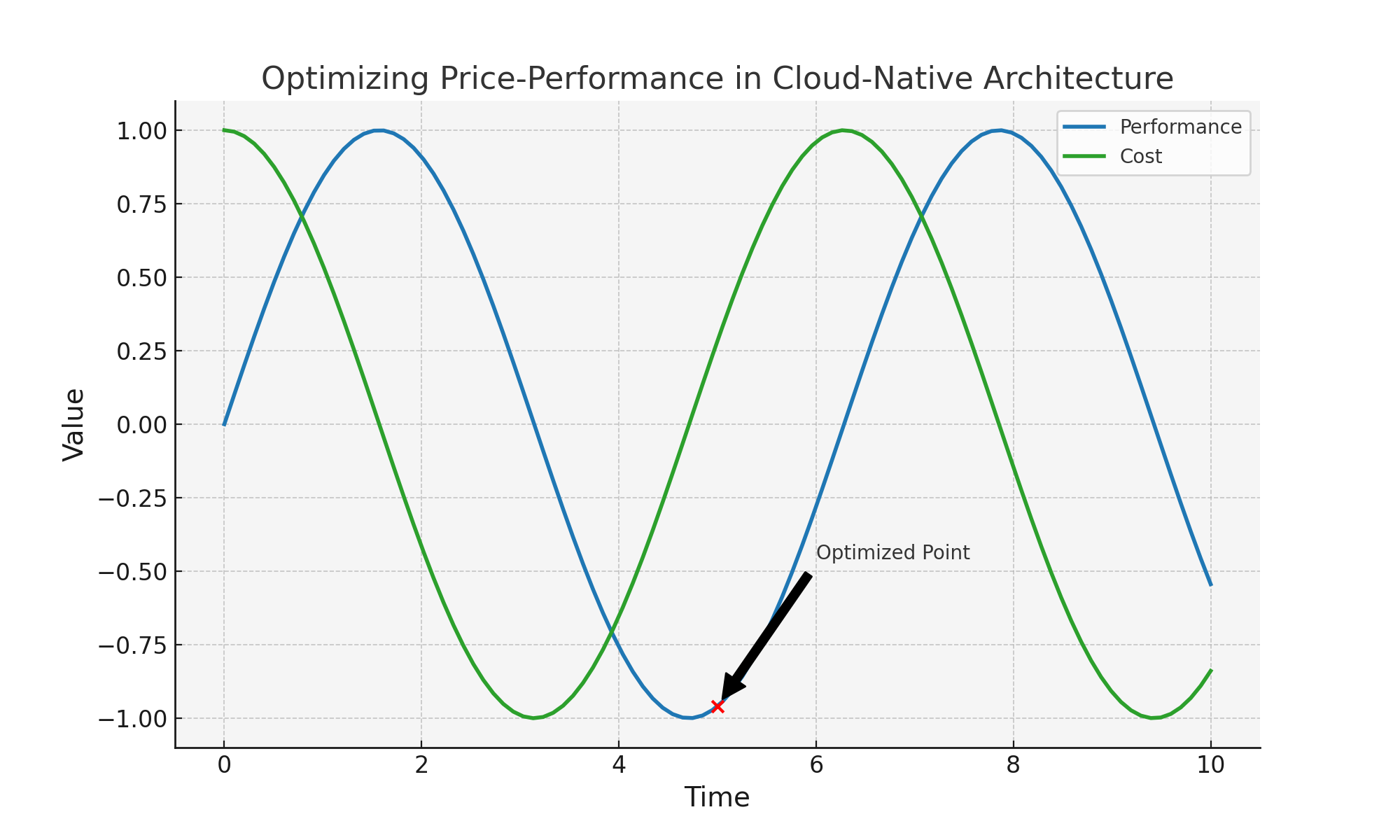
Illustration - the concept of optimizing the price-performance ratio in a cloud-native architecture
import matplotlib.pyplot as plt
import numpy as np

# Data for the image
x = np.linspace(0, 10, 100)
y1 = np.sin(x)
y2 = np.cos(x)

fig, ax = plt.subplots(figsize=(10, 6))

# Plot data
ax.plot(x, y1, label='Performance', color='tab:blue', linewidth=2)
ax.plot(x, y2, label='Cost', color='tab:green', linewidth=2)

# Highlighting an optimization point
ax.scatter([5], [np.sin(5)], color='red', zorder=5)
ax.annotate('Optimized Point', xy=(5, np.sin(5)), xytext=(6, np.sin(5)+0.5),
             arrowprops=dict(facecolor='black', shrink=0.05),
             )

# Title and labels
ax.set_title('Optimizing Price-Performance in Cloud-Native Architecture', fontsize=16)
ax.set_xlabel('Time', fontsize=14)
ax.set_ylabel('Value', fontsize=14)
ax.legend()

# Grid and background
ax.grid(True)
ax.set_facecolor('whitesmoke')

# Save the image
plt.savefig('/mnt/data/cloud_native_optimization.png')
plt.show()
Conclusion
By transforming the e-commerce application to a cloud-native architecture with Kubernetes and microservices, and implementing the above strategies, you can optimize the price-performance ratio through effective use of cloud elasticity. This approach ensures that resources are scaled dynamically based on demand, reducing costs and improving performance, leading to a more efficient and cost-effective cloud environment.
Optimizing the price-performance ratio in a cloud-native architecture involves leveraging microservices, containerization, orchestration tools, auto-scaling policies, serverless architectures, and continuous monitoring. These practices help achieve a balance between cost efficiency and performance, making it a vital strategy for modern cloud-native applications.








Comments